5 Best User Access Management Software Tools in 2026
Chad BurggrafUpdated 10 min read

As companies grow and adopt more digital tools, managing who has access to what resources becomes harder and riskier. A single misconfigured permission can lead to data breaches, audit failures, or unauthorized changes.
User identity and access management software can help businesses control access to internal systems, cloud licenses, and other apps. This platform saves time and effort for IT teams while maintaining strong identity security.
In today's article, we will cover the best user access management solutions and their key features. We'll also share tips to help you choose the right software.
But first, let's look into the reasons why you need this specific software.
Why Do You Need Software for User Access Management?
Manual access management is slow, risky, and hard to scale. Tracking permissions in spreadsheets or emails leaves room for mistakes. A single oversight can expose sensitive data or break compliance rules.
Digital software can address these challenges. It can continuously track access rights as users move between departments, roles change, and systems grow more complex. This makes them an important tool for any business looking to streamline access management.
Below are other reasons why user access management software matters:
Mitigate Security Risks
Mismanaged access is a major security risk. Former employees may keep access longer than they should, while contractors may have more permission rights than needed.
Manual processes often miss these gaps. Digital software helps reduce these security vulnerabilities.
This platform gives you full control over who has access to what resources and when. If a user without the necessary permissions tries to access a restricted system, the software logs the activity and notifies the relevant teams. This allows you to respond quickly and prevent data breaches.
Reduce Manual Workload
Manual provisioning and deprovisioning are time-consuming and error-prone. It can take up valuable resources and slow down IT teams.
Fortunately, digital software can automate access management. It allows IT teams to set rules once, and the system applies them automatically.
For example, new users get access based on their roles or departments. Meanwhile, the software can instantly remove IT access for terminated employees. This eliminates the need for constant back-and-forth emails with HR and saves time.
Maintain Compliance
Privacy and security regulations like SOC 2, HIPAA, and ISO 27001 require strong access controls.
User access management software helps you meet these requirements. It can automatically record changes, generate logs, and create reports.
When an auditor asks, you are ready to prove compliance without searching through spreadsheets or emails. This builds confidence during audits and lowers the risk of non-compliance penalties.
Centralize Access Control
User accounts are often scattered across cloud apps, on-premises systems, and legacy tools. Managing them all separately leads to confusion and missed updates.
Access management software brings everything into a single dashboard.
You can view and manage all user permissions in one place. Whether someone works in IT or finance, you can assign or remove privileged access from the same system.
This centralized view helps you stay in control, reduce redundancy, and manage user identities effectively.
Top 5 User Access Management Solutions in 2026
Here are the best software solutions for access management:
1. ezOnboard
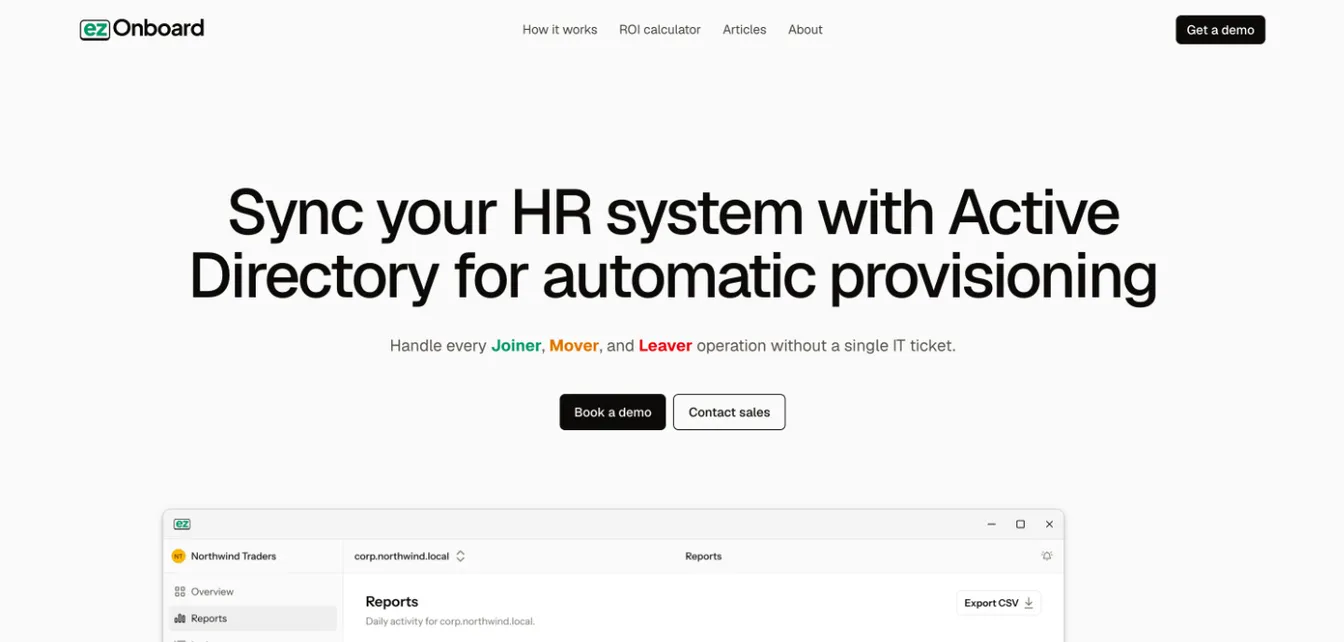
ezOnboard offers an automated access management software solution designed for fast-growing companies. It connects any HR system to on-premises Active Directory and cloud-based Microsoft Entra ID (formerly Azure Active Directory).
When HR adds a new employee or contractor, ezOnboard automatically provides access to the necessary tools. This simplifies onboarding workflows and accelerates time-to-productivity.
ezOnboard can also track identity lifecycle stages and automate Active Directory updates. It can instantly revoke or adjust permission rights when user roles, locations, or job titles change.
ezOnboard can even automate user deprovisioning by revoking access rights and reclaiming Microsoft licenses. This can prevent unauthorized access and protect sensitive systems from potential security threats.
Plus, ezOnboard records every change it makes to user access rights. The platform can generate detailed reports of Active Directory changes and send notifications by email and webhook. This helps you stay on top of issues and manage permissions across the board.
Key Features:
- HR to Active Directory integration: The platform integrates any HR software solution (BambooHR, Workday, etc.) with Microsoft Active Directory.
- Automated user provisioning and deprovisioning: It creates accounts and grants access through directory groups. It can also revoke access privileges during employee offboarding.
- Custom access policies: ezOnboard allows you to pre-define access rules based on employment type, roles, job titles, locations, and other criteria.
- Compliance reporting: It can generate detailed reports on all Active Directory changes for regulatory compliance purposes.
- Real-time notifications: These alert the relevant teams by email or webhook when a sync is stopped or something needs review.
- Integrated professional services: ezOnboard offers multiple services, such as onboarding and implementation support, to ensure you get results.
Book a demo of ezOnboard today to learn how it can transform IT user management.
2. Rippling
Rippling combines identity management with HR data to help companies manage access automatically. It assigns permissions based on job title, department, or location using role-based access control. When someone joins or changes roles, their access updates instantly across all connected IT systems.
Rippling also includes multi-factor authentication (MFA) to strengthen security. MFA requires users to provide multiple verification factors, such as passwords or biometrics. This method ensures that users are exactly who they say they are before giving them access to corporate resources.
This identity access and management platform also supports single sign-on (SSO). It provides access to different tools using a single set of credentials, which can reduce password fatigue and improve the user experience.
Key Features:
- Unified identity and access management (IAM): It provides a central platform for managing user identities, devices, and permissions.
- App provisioning and deprovisioning: It can automatically set up accounts and remove access across third-party apps. This simplifies employee onboarding and offboarding processes.
- Multi-factor authentication: It provides an extra login layer to verify user identity and securely manage access to critical systems.
- Granular access controls: Rippling lets you define user access rights based on roles, departments, and other attributes.
- Audit logs: These support continuous monitoring of user behaviors and help IT teams demonstrate compliance.
3. OneLogin
OneLogin focuses on securing user access across all devices, applications, and cloud services. It offers fast and secure identity verification through single sign-on, MFA, and adaptive authentication. This ensures employees, customers, and partners get the right access to the necessary IT resources.
OneLogin also supports remote and hybrid environments, enabling employees to access tools securely from any location.
Plus, OneLogin is part of One Identity, which pairs it with One Identity Safeguard for privileged access management (PAM). Safeguard helps you monitor, control, and protect privileged accounts.
Key Features:
- Multiple identity verification methods: It uses SSO, multi-factor authentication, and adaptive access verification before granting user access.
- Privileged access management: Through One Identity Safeguard, you can add restricted access controls for sensitive accounts and admin roles, like an access manager or finance manager.
- Role-based access control: It follows permission rules based on user roles, departments, or locations.
- Extensive integration capabilities: OneLogin can connect to cloud apps, directory services, identity providers, and other third-party tools.
- User self-service portal: This enables users to reset their passwords and request access to corporate resources.
4. Auth0
Auth0, part of Okta, is a flexible identity and access management platform built for developers and IT teams. It focuses on ensuring secure access to applications, APIs, and systems.
Meanwhile, its cloud-based design allows fast deployment with strong authentication controls. It also lets you define group and user permissions for every IT resource, such as documents, projects, and accounts.
Plus, Auth0 Actions let you customize login flows with code, and Auth0 supports advanced API access management. Actions replaced the older Rules and Hooks, which reached end of life in November 2024. This allows you to program your user authorization model within one platform. It eliminates the need to set up and manage another infrastructure.
Key Features:
- Granular controls: Auth0 allows you to set detailed permission rights for users, roles, and applications.
- API access: It can manage API authentication and authorization in one place.
- Customizable login experiences: The platform supports flexible branding and behavior for login pages and flows.
- Built-in documentation: SDK libraries and other developer resources make it easy to integrate, configure, and troubleshoot Auth0's IAM solutions.
- Strict security settings: It follows advanced security policies for token handling, session limits, and threat detection.
5. Cisco Duo
Cisco Duo provides a secure access management software platform for start-ups and large enterprises. It uses adaptive policies and risk-based authentication to protect logins. It also supports zero-trust principles and verifies both user identity and device health before granting access.
Duo can even detect security threats before they impact IT operations. This can strengthen your company's security posture.
Key Features:
- Multi-factor authentication: It provides layered identity verification using mobile apps, tokens, or biometrics.
- Zero-trust principle: It verifies every user and device before granting access to tools.
- Adaptive access policies: The platform allows IT to set dynamic rules based on user role, location, and behavior.
- Device health check: It can evaluate a device's security posture before granting session approval.
- Threat detection: It can monitor user login patterns and send alerts for unusual activity.
Benefits of Access Management Solutions
Using identity and access management software can benefit your business in several ways. Let's take a closer look below:
Enhance Security
User access management software lowers the risk of breaches. It helps you control who can access systems, apps, and data.
For example, it uses multi-factor authentication and secure password management, which makes it harder for attackers to break in.
The platform can also block unauthorized users and detect suspicious behavior early. This leads to fewer security incidents and faster incident response.
Automate Onboarding and Offboarding
Manual onboarding creates delays, while traditional offboarding workflows often miss critical steps.
Identity and access management platforms can automate onboarding and offboarding processes. Users receive access based on their roles from day one. When someone leaves, their access is removed instantly.
There's no need to wait for HR emails or ticket approvals. This reduces human error and prevents lingering access risks.
Improve IT Efficiency
Teams spend hours provisioning accounts, updating permissions, and revoking access manually. Digital software simplifies all of this.
It cuts back-and-forth emails, repetitive tasks, and manual updates. It can also reduce IT support tickets related to onboarding, which allows teams to focus on business-critical activities.
Increase User Satisfaction
Delays in access can frustrate users. They expect to have access to the necessary tools from day one.
Access management software can help you provide the correct permission rights without delay. This makes users feel valued and supported.
It also includes a self-service portal that empowers users to request access, reset their passwords, or update credentials on their own. This helps avoid long waiting times and maintain productivity.
Simplify Compliance Audits
Auditors expect clear records of who had access to what, and when. Access management tools generate these logs automatically. They can also create detailed reports that show compliance with policies, standards, and regulations.
Auditors can trace every access change without digging through old emails or spreadsheets. This simplifies the auditing process.
How to Choose the Right User Access Management Software
Now that you know the benefits, it's time to choose the best access management software for your team.
Define Your Access Control Requirements
Start by listing what your organization needs.
Look at how many users you manage, then think about departments, job roles, and access levels. You should also decide which systems need the most protection.
If your environment is hybrid or multi-cloud, prioritize a flexible deployment model.
When you know your exact needs, it’s easier to filter out software that won’t scale or fit your goals.
Map Your Existing IT Ecosystem
Your access management solution should work well with what you already use.
List current platforms, directories, and cloud services. Consider how employees log in, where your data lives, and what devices are in use.
Then, look for an IAM tool that is compatible with your existing IT ecosystem. Seamless integrations reduce manual data entry and ensure accurate data transfer.
Compare Key Features
Each product offers something different. It's important to evaluate capabilities.
Start with core features like provisioning, deprovisioning, role-based controls, and audit logging.
Then, look for advanced tools like session tracking, access certifications, or user behavior analytics. These extras give you more visibility and control over identity security and access rights.
Review Pricing Models and Long-Term Value
Some IAM software platforms charge by user, while others charge based on included features.
You should review different pricing models and calculate the total cost of ownership. Include maintenance, onboarding, and support fees. Then, run a basic ROI calculation based on saved hours, reduced risk, and fewer compliance gaps. The best IAM tool will eventually pay for itself.
Analyze Vendor Support
Good support is non-negotiable. You need a vendor that responds fast, offers solid documentation, and helps with software deployment. Solid support means fewer delays and better implementation.
Effortless User Access Management With ezOnboard
ezOnboard integrates your company's HR software with Active Directory and Entra ID. This connection automates user provisioning and deprovisioning by syncing HR data to the directory.
New hires get the right access on day one, while terminations trigger timely account disablement. This means stronger security, better compliance, and simplified onboarding or offboarding workflows.
Request a demo or check this ROI calculator to see how much money you can save with ezOnboard.
FAQs About User Access Management Software
What is access management software?
Access management software is a tool that helps IT teams control who can access apps, systems, and data. It can assign permissions, enforce security policies, and log user activities.
What are the top 5 IAM tools?
Leading identity and access management tools include ezOnboard, Rippling, OneLogin, Auth0, and Cisco Duo.
Is PAM the same as IAM?
No, PAM (privileged access management) is a subset of identity and access management. While IAM manages all user identities, PAM focuses only on users with elevated privileges, such as system admins. PAM adds extra security controls to protect sensitive systems from misuse or breaches by high-level accounts.
What are the 4 components of IAM?
The four main components of IAM are identity management, authentication, authorization, and user account provisioning.