10 Strategies to Reduce IT Onboarding Tickets
Gregg Davis9 min read

Onboarding is a challenging yet important task that your IT team should execute well. When new users encounter roadblocks like missing account credentials or delayed software setups, the result is a surge in IT onboarding tickets.
These tickets do more than just slow down the new user’s integration into your technical environment. They also drain your IT team’s resources and create unnecessary frustration.
Addressing these challenges is the key to a better onboarding experience and improved operational efficiency.
In this article, we’ll teach you how to effectively reduce IT onboarding tickets through ten proven methods. But first, let’s discuss what they entail and the reasons behind a high support ticket volume.
What Are IT Onboarding Tickets?
IT onboarding tickets are requests or issues logged during the process of welcoming new users, vendors, or customers into your technical environment. These tickets can come from the hiring manager or the end users themselves.
IT onboarding tickets often cover problems in account creation, hardware delivery, software licenses, device permissions, and network access.
While some tickets involve simple fixes, others require dedicated support agents to address more complex tasks. This can quickly overwhelm your customer support team and slow down onboarding efforts.
You should reduce these tickets to increase employee, vendor, or customer engagement and satisfaction.
Common Causes of High IT Onboarding Ticket Volume
Before learning how to minimize customer support tickets related to onboarding, you should first understand the reasons behind them. Let’s explore the most common causes that might be driving up your ticket volume.
- Lack of standardized onboarding processes: Without a clear onboarding program, IT teams can easily overlook important tasks like Active Directory provisioning. This inconsistency leads to confusion for both your IT department and new employees or users in your company.
- Delayed communication between teams: When IT, HR, and other teams fail to coordinate, your company can overlook key details, such as a new hire’s starting date.
- Inadequate pre-boarding preparation: Failing to set up hardware, software, or accounts in advance forces your IT team to address issues reactively. It adds unnecessary tickets to the queue, which can act as a barrier to customer success.
- Missing user information: Incomplete details like job roles or required tools lead to onboarding tickets about software access and device setup.
- Lack of automation tools: Manual processes for routine tasks like account creation increase errors and delays. They create repetitive tickets that could be avoided with automation.
Why Is It Important to Reduce IT Onboarding Tickets?
From the IT team’s perspective, minimizing onboarding tickets frees up valuable time and resources. These can be redirected towards more strategic initiatives rather than handling a high volume of basic support requests. The result is a department that works productively with less stress.
For new hires, a structured onboarding process means they no longer need to submit tickets to access the necessary tools and resources. They can immediately start contributing to your company, which boosts employee satisfaction and engagement.
A lower volume of IT onboarding tickets can even impact external partners and customers. It demonstrates your company’s commitment to efficiency and a smooth customer experience. This can boost your reputation in the industry.
10 Proven Strategies to Reduce IT Onboarding Tickets
You can follow these effective strategies to reduce support ticket volume related to IT onboarding.
1. Start Onboarding Before a New User’s First Day
Don’t wait until the first day to begin onboarding. Collaborate with HR and other teams to gather important information about new hires or vendors in advance.
You should set up accounts, email credentials, and required software before they arrive. Pre-configure necessary hardware, software, and access credentials.
Pre-boarding reduces the chance of tickets for missing setups. It also shows new users you’re prepared and organized.
A seamless first day boosts customer satisfaction and minimizes unnecessary back-and-forth between IT and end users.
2. Create an IT Onboarding Checklist
Create a standardized IT onboarding checklist tailored to different roles in your organization. Include tasks like setting up devices, granting permissions, and providing access to critical software.
Using a checklist helps your team stay organized and consistent. It also prevents common errors that generate onboarding tickets, which can save your company valuable time and effort.
Don’t forget to share this checklist with HR to keep everyone aligned during onboarding.
3. Develop a Self-Service Portal
Self-service solutions empower users to handle simple tasks like password resets or software installations.
You should create a detailed FAQ page and a troubleshooting guide for common onboarding issues. You can also produce interactive tutorial videos to encourage self-learning and speed up the support process.
By offering a self-service portal, you reduce dependency on IT for repetitive problems. At the same time, you can significantly cut down the volume of onboarding-related requests.
4. Build a Community Forum
In addition to self-service solutions, you can build an internal forum where employees can ask questions and share solutions.
This resource can serve as a go-to space for addressing common onboarding queries without needing IT’s direct involvement.
5. Use Onboarding Software
Onboarding software integrates IT tasks with HR processes. It can automate repetitive onboarding activities like account creation, device assignments, and identity lifecycle management.
Onboarding software can also centralize requests and track progress in real time. This increased visibility guarantees smoother coordination between different teams. It can minimize delays and unnecessary tickets.
6. Prepare Canned Responses to Common Queries
Another effective way to reduce IT onboarding tickets is by implementing standardized, prewritten responses for frequently asked questions.
Many onboarding inquiries—such as password resets, software access requests, and VPN setup instructions—follow a predictable pattern.
Your IT team can save a lot of time by creating a library of canned responses. You can store them in your help desk system, email templates, or an internal knowledge base for easy access.
Not only does this approach increase IT efficiency, but it can also improve response times. That's because your IT team no longer needs to draft new replies from scratch. They can simply copy and paste answers to common customer inquiries related to onboarding.
7. Set Up AI-powered Chatbots
AI chatbots are a game-changer in IT support. They can instantly provide responses to common onboarding concerns without requiring manual effort from your IT department. They can significantly reduce the volume of repetitive tickets while improving response times.
These chatbots can guide employees through different onboarding processes, such as software installation, account setup, and troubleshooting minor technical issues.
If users encounter complex problems, AI-powered chatbots can direct them to more relevant resources or escalate requests to IT personnel when necessary.
To get the best results, you can integrate these chatbots into your IT service desk and knowledge base. This allows them to provide accurate and up-to-date information.
8. Provide Structured Training on IT Systems
Many tickets stem from new hires not understanding how to use IT systems.
You can address this problem by offering structured training sessions during onboarding. Cover the basics of accessing tools, using software, and troubleshooting common issues.
Providing ongoing guidance and troubleshooting support can help new hires become self-sufficient. It also reduces the likelihood of recurring support requests.
9. Implement Role-Based Access Controls (RBAC)
RBAC assigns predefined permissions based on an employee’s role. This eliminates guesswork and guarantees that new users have the right level of access without excessive requests.
Automate access provisioning to prevent delays and errors. This improves security while cutting down on onboarding tickets related to permission rights.
10. Review and Adjust Onboarding Processes
Regularly gather feedback from new hires and IT support teams. You should also analyze ticket data to identify recurring issues and areas for improvement.
Then, based on your findings from user and customer feedback, you can make data-driven adjustments to improve IT efficiency.
Continuous refinement keeps your onboarding process current and ticket volumes low.
Key Metrics to Track for Successful Onboarding
After implementing the strategies discussed earlier, you should monitor these key metrics to measure your success and identify areas for improvement.
Number of IT Onboarding Tickets Received
Track the volume of IT onboarding support requests. A high volume may indicate inefficiencies in processes or missing resources.
Aim to reduce this number with automation and pre-boarding setups.
Average Time to Resolve IT Onboarding Tickets
Monitoring the average time it takes to resolve IT onboarding tickets can reveal bottlenecks in the support workflow.
Analyze ticket resolution times to help your IT team prioritize tasks and provide timely assistance to users.
Employee Satisfaction With the Onboarding Process
Gather feedback from new hires through surveys or direct input. High satisfaction scores mean your process is effective.
You can use insights from low scores to refine your onboarding program.
Adoption Rates of Self-Service Resources
Measuring the usage of onboarding knowledge bases, tutorials, and other self-service resources can indicate their effectiveness in empowering new hires to resolve issues independently.
High adoption rates of these self-service tools can correlate with a reduction in IT support tickets.
Percentage of Automated Onboarding Tasks
Track how many tasks are automated versus manual. Increasing this percentage leads to fewer errors and lower ticket volumes.
Consider implementing process automation to drive onboarding success.
How Can ezOnboard Help Reduce IT Onboarding Tickets?
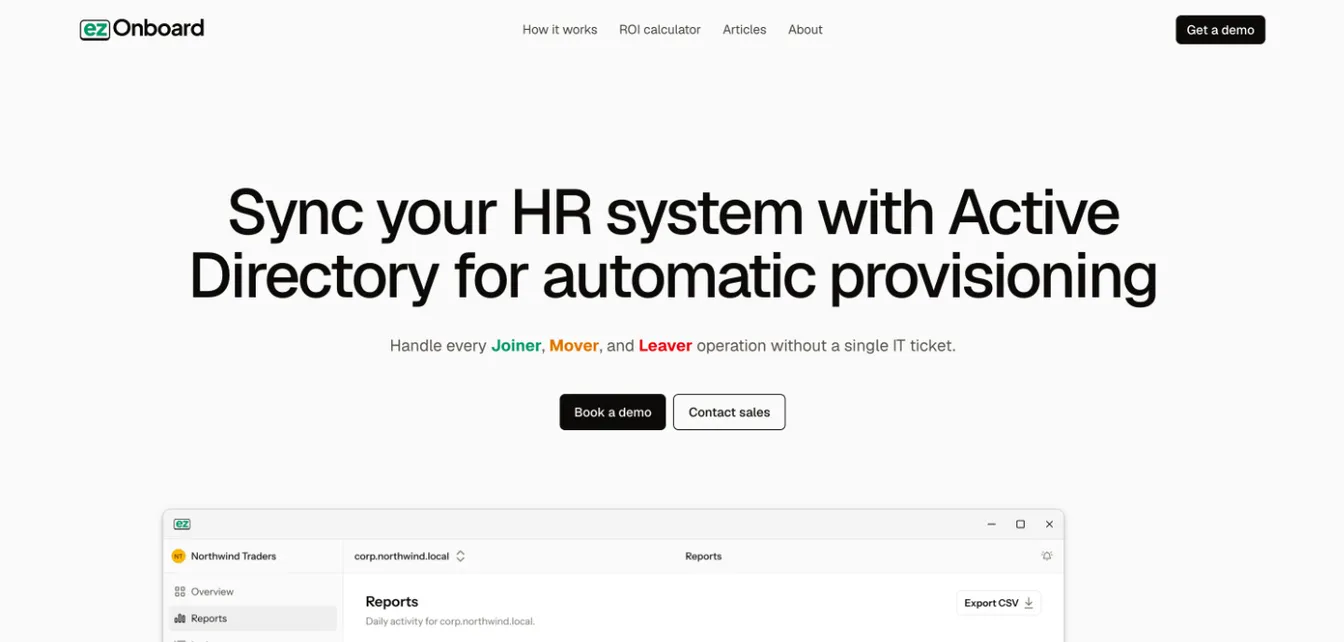
ezOnboard is an onboarding software solution that can significantly decrease the volume of IT tickets. In time, it can even eliminate these issues altogether. ezOnboard can do this by:
Automation of Account Creation and Management
ezOnboard dramatically reduces the manual processes involved in managing user accounts. It automates the creation, update, and disabling of accounts in Active Directory (AD).
This automation directly leads to a decrease in the number of tickets generated for these activities.
Seamless Integration With HR Systems
The software integrates with the organization’s HR system. Once fully connected, any changes in employee status are automatically and instantly reflected in AD.
This immediate synchronization prevents the accumulation of tickets related to access changes following role adjustments or employee exits.
Predefined Access Rules for Enhanced Security
ezOnboard allows organizations to predefine access rules. It guarantees that individuals have the appropriate access from their first day.
This approach minimizes the tickets related to access issues and enhances security by preventing misconfigured permissions.
Improved Employee Onboarding Experience
ezOnboard supports a smooth onboarding experience by making sure new hires are ready to be productive from the first day. It reduces the number of tickets from new employees seeking access to resources.
It also maintains up-to-date information in Active Directory, minimizing tickets related to contact information issues.
Professional Services and Support
With expert contact support and services, ezOnboard can help IT departments have smooth implementation and operation.
It reduces the likelihood of tickets due to deployment challenges, software issues, and time-consuming manual tasks.
Reduce IT Onboarding Tickets With ezOnboard
ezOnboard seamlessly connects your Active Directory environment with any HR software. This integration automates account provisioning and access management, reducing the need for IT intervention.
With ezOnboard, you can guarantee correct access from day one. This significantly reduces the number of support tickets, as new hires can have a smooth onboarding experience. It enables your IT team to focus on more strategic priorities.
Request a demo to get started today, or check out this ROI calculator to learn how much money ezOnboard can save you.
FAQs About Reduce IT Onboarding Tickets
How to reduce IT support tickets?
To reduce IT support tickets, you can implement self-service resources like community forums, canned responses, and AI-powered chatbots. You can also create an IT checklist, use onboarding software, and provide training to IT teams.
How to decrease onboarding time?
Decreasing onboarding time requires automation, well-documented IT processes, and structured training. You can use pre-configured hardware and software, automate account provisioning, and integrate IT workflows with HR systems.
What is onboarding in the IT industry?
IT onboarding refers to the process of setting up new employees with the necessary hardware, software, and system access to perform their roles efficiently. It includes account provisioning, security training, and IT support for smooth integration into the organization.
How do you optimize employee onboarding?
If you want to optimize the onboarding experience for employees, you can automate IT processes, standardize setup procedures, and provide clear guidance. You can also give new hires access to self-service portals, AI chatbots, and responsive community forums.