10 Ways to Improve Onboarding Process Workflows
Gregg Davis10 min read

A smooth onboarding experience improves employee retention by 52% and productivity by 60%, based on recent statistics.
However, for IT teams, onboarding is more than just paperwork and training. It involves setting up devices, granting secure access, and ensuring new hires have the tools they need to do their jobs.
A poor onboarding experience can lead to delays, security risks, and unnecessary workloads for both IT and hiring managers.
In this article, we’ll walk you through the best ways to achieve a successful onboarding program. But first, let's discuss onboarding objectives and the role of IT teams.
What Are The Objectives of an Effective Employee Onboarding Process?
An effective onboarding process helps new employees integrate smoothly while reducing manual workload and security risks. Here are the main objectives of a solid onboarding program:
Accelerating Productivity
An onboarding program helps new hires quickly adapt to their roles and responsibilities after the hiring process.
Human resources and direct managers can provide training materials and shadow employees to boost productivity.
Meanwhile, IT departments give new hires access to the necessary tools they need for their jobs. These allow them to become productive contributors from day one.
Providing a Positive Onboarding Experience
An effective onboarding process creates positive, welcoming experiences for new hires.
For example, keeping logins simple prevents employees from getting frustrated. This allows them to easily access their accounts and contribute to your company.
As a result, it can increase employee engagement, job satisfaction, and the likelihood of long-term retention. It can also help create a good relationship between all team members.
Aligning with Culture and Values
Successful onboarding shapes how employees experience company culture.
IT teams can provide access to internal communication tools, knowledge bases, and collaboration platforms.
On the other hand, hiring managers can provide company handbooks, assign a buddy, and schedule lunch gatherings.
This helps them feel connected with other team members and embrace the company's values.
Developing Knowledge and Skills
An effective onboarding program includes extensive training materials and development opportunities.
These allow new hires to acquire the necessary knowledge and skills to excel in their roles. They benefit both the employee and the organization.
Ensuring Compliance and Mitigating Risks
Onboarding is a major security risk if not handled properly.
A structured new employee onboarding process helps your company achieve cybersecurity compliance and mitigate risks.
It involves enforcing strict access controls, implementing multi-factor authentication (MFA), and training employees on security best practices. These can maintain a safe, compliant work environment.

What Role Does IT Play in Employee Onboarding?
IT teams handle the technical side of employee onboarding. They make sure that new hires have the devices, software, and secure access they need from day one.
Unlike HR departments that focus on paperwork, training, and company culture, IT is responsible for system setup, user provisioning, device troubleshooting, and onboarding cybersecurity.
Without a structured IT onboarding process, new employees may experience delays, security risks, or lack access to critical tools. These might impact their experience at your company, which leads to frustrations and early turnover.
On the upside, a successful IT onboarding program can reduce downtime, improve security, and help new employees become productive faster.
10 IT Strategies to Improve the Employee Onboarding Process
Below are the ten strategies that can help you improve your onboarding process:
1. Start Onboarding Before Day One
New employees should have everything ready before they arrive. Delays in device setup, system access, or software installation can frustrate them and slow down productivity. Your IT teams can prevent this by starting the onboarding process early.
Communicate closely with HR to gather relevant information (name, job title, location, etc.) about the new team member. If your directory service is integrated with HR software, data is automatically reflected without needing to ask hiring managers.
Use the data you captured to create relevant accounts, set up hardware devices, and provide access to software tools based on the new hires' roles.
You should also preconfigure communication and collaboration tools to ensure a smooth transition into your company.
Don't forget to send welcome emails with login credentials, security policies, and IT resources before the employee's first day.
2. Create a Structured Onboarding Schedule
A structured onboarding schedule prevents confusion and ensures IT tasks are completed on time. It also helps new hires understand expectations and timelines.
The plan should outline key activities and goals for the first days, weeks, and months. It should guide both new employees and IT teams through the initial adjustment.
Here are sample activities to add:
- Day 1: On the first day, IT teams should handle device setup, account provisioning, and access to required software.
- Week 1: IT can provide security training, introduce help desk systems, and offer troubleshooting support within the first week.
- First 30-60 days: For the first month, IT departments should check in with new employees, collect feedback, and provide advanced tool training if needed.
You can use an IT onboarding checklist to track progress, set deadlines, and ensure nothing is missed.
3. Automate IT Provisioning for New Hires
New hires often wait for account setups, software installations, and permission approvals, which can cause delays.
Automated user provisioning removes these bottlenecks and provides employees with everything they need from day one.
It can automatically create and configure user accounts based on job roles, locations, and other criteria. It also allows your IT teams to set up laptops, tablets, and other mobile devices before shipping them to new hires.
Automation can also benefit your company as a whole. It can reduce administrative tasks, improve security, and boost IT employee productivity.
4. Implement Single Sign-On (SSO) for Easy Access
New hires shouldn’t have to juggle multiple logins on their first day. Manually entering passwords for every system is frustrating, time-consuming, and a security risk.
Single sign-on makes life easier for both new employees and IT teams.
It allows users to log in to all approved applications without repeatedly entering credentials. This can prevent password fatigue, minimize security risks, and reduce onboarding tickets for password resets.
5. Provide a Self-Service IT Help Desk
New employees will likely have technical issues during their first few weeks. Instead of waiting for support tickets to be resolved, you should give them self-service tools to solve common problems on their own.
Investing in a self-service help desk can also reduce IT workload and speed up issue resolution. It allows users to perform these common tasks without IT intervention:
- Reset account passwords.
- Find step-by-step guides for setting up accounts, software, and devices.
- Request access to software applications and file folders.
- Check system status for outages or maintenance updates.
- Submit and track IT support tickets in one place.

6. Use Remote Device Management for Hybrid or Remote Employees
If your company has a hybrid or fully remote workforce, it can be difficult to onboard new employees into your technical environment.
You need to give new hires the necessary tools (laptops, email accounts, communication platforms, etc.) while making sure your system isn't compromised.
You can use remote IT management solutions to configure, monitor, and secure devices from anywhere. With the software, you can also deploy software updates and patches to prevent security vulnerabilities.
If devices were lost or stolen during the onboarding process, you can also remotely wipe company data to protect sensitive information.
7. Set Up IT Orientation and Security Training
New hires need to understand how to use company systems, follow security protocols, and protect sensitive data from day one. Without proper training, they may unknowingly create security risks.
This is why IT orientation and security training should be a mandatory part of the onboarding process.
Provide live or recorded IT orientation sessions covering company tools, account management, and IT support processes.
Additionally, train employees on how to identify phishing attempts, manage passwords, and protect sensitive files.
You can use quizzes, real-world simulations, or gamified learning to make training interactive and reinforce learning.
8. Establish Cybersecurity Policies
Cybercriminals often target new hires to steal personal data and gain access to sensitive systems.
It's important to include strict cybersecurity policies as part of the employee onboarding process.
Consider implementing the following programs:
- Password management: Require new employees to use strong, unique passwords and enable multi-factor authentication on all accounts.
- Device security: Use full-disk encryption, automated patch management, and endpoint protection for all work devices.
- Phishing and email safety: Train new hires to recognize phishing attempts and use email security tools like Tessian or Avanan.
- Data access and sharing: Restrict access to sensitive files using role-based access control (RBAC). Alternatively, you can enforce zero-trust security principles to require authentication for all users.
- Remote work security: Require virtual private network (VPN) access and block unapproved apps on company devices.
Make sure to document all policies in an easily accessible handbook and reinforce them with quarterly training sessions. Doing so can significantly reduce security risks and maintain compliance.
9. Conduct Regular IT Check-Ins
Onboarding doesn’t stop after the first week. Many IT-related issues don’t surface immediately. For example, new hires might struggle with access permissions, software functionality, or security protocols weeks into their job.
You should regularly check in with new employees to ensure everything is going smoothly on their end. Confirm if they have access to all required systems and resolve any setup issues that may affect productivity.
You can also gather user feedback on IT support using surveys or forms. These insights help you refine the onboarding process to meet incoming employees’ needs better.
10. Use Analytics to Continuously Improve Workflows
Employee onboarding processes should evolve over time based on real data, not guesswork.
Your IT team can use analytics and performance metrics to identify bottlenecks, measure efficiency, and optimize workflows.
Here are some of the metrics to track:
- Time to full system access: How long does it take for a new hire to receive all necessary logins and device setups?
- Number of IT support tickets: Are users frequently requesting help with account access, software setup, or device configurations?
- Security compliance rate: How many new employees complete the required cybersecurity training on time?
- Onboarding satisfaction scores: Are new hires reporting a smooth IT setup experience in feedback surveys?
Regularly review this data and adjust IT onboarding strategies. This allows you to improve efficiency, reduce errors, and refine the onboarding experience for future hires.
How Does ezOnboard Improve Your IT Onboarding Process?
ezOnboard is an automated IT onboarding solution that can enhance the employee onboarding experience in several ways. Let's take a closer look below:
Instantaneous Account Creation and Access Provisioning
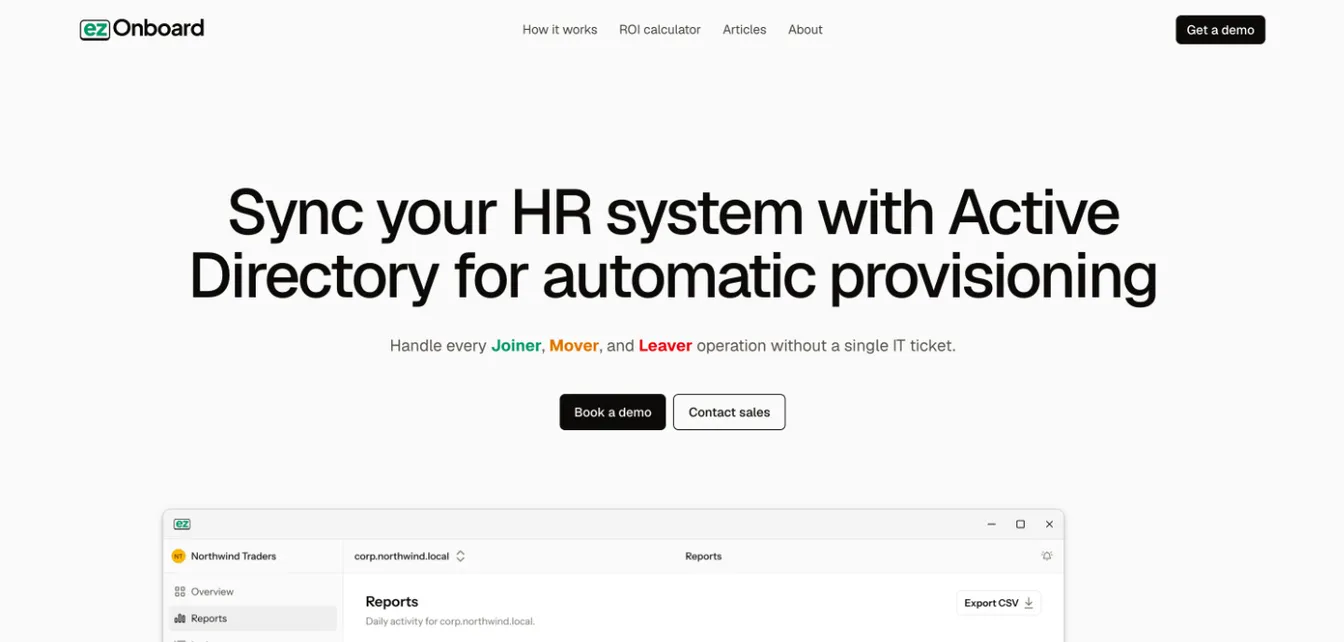
ezOnboard automates the creation of accounts in Active Directory and Entra ID and the provisioning of access rights as soon as new hires are registered in the HR system. This ensures that new employees have immediate access to the necessary tools and resources.
Custom Business Rules for Access Control
The software allows organizations to pre-define custom access rules based on the new hire’s role, department, or other criteria.
This way, employees receive the correct level of access from day one. Meanwhile, your company minimizes security risks and ensures compliance with internal policies.
Automated Workflow Integrations
By integrating with existing HR systems, ezOnboard automates the onboarding workflow, automatically processing all necessary information and approvals for a new hire. This eliminates delays typically associated with manual data entry and approvals.
License Management and Allocation
ezOnboard automatically assigns the necessary Microsoft licenses to new hires based on predefined rules. It allows new employees to have the tools they need from day one.
When employees leave, it recovers their licenses so they can be reassigned.
Improved Security and Compliance
Automation makes sure that access is granted according to predefined security policies, reducing the risk of unauthorized access.
Additionally, ezOnboard’s reporting and tracking capabilities provide an audit trail for compliance purposes. These show who has been granted access to what resources and when.
Improved Employee Experience
By giving new employees quick access to the systems and information they need, ezOnboard helps make their start at the company a good one. This leads to happier employees and accelerates their time-to-productivity.
Reducing IT Burden
Automating the onboarding process with ezOnboard frees up IT resources from manual onboarding tasks associated with setting up new accounts and managing access rights.
Effortless Employee Onboarding With ezOnboard
ezOnboard can transform the way you handle IT onboarding. It works by integrating your HR software with Microsoft Active Directory and Entra ID.
Once connected, it can instantly create accounts and provide correct software access based on pre-defined rules.
Start improving your onboarding process with ezOnboard today, increase security, and boost productivity without any hassle.
Request a demo to get started, or check their ROI calculator to see how much money you can save.
FAQs About How to Improve Onboarding Process
How can onboarding be improved?
You can improve IT onboarding by creating a structured onboarding plan, automating tasks, implementing SSO, training employees, gathering user feedback, and analyzing key onboarding metrics.
What are the 4 pillars of effective onboarding?
The four pillars of effective onboarding are preparation, integration, training, and support. Preparation ensures employees have devices, accounts, and software before day one. Meanwhile, integration connects them with company culture and collaboration tools.
On the other hand, training provides security awareness and IT system education. Finally, support offers ongoing IT assistance through help desks and regular check-ins.
What are the 5 C's of effective onboarding?
The 5 C’s of effective onboarding refer to compliance, clarification, confidence, culture, and connection. These can help new hires transition smoothly and become productive quickly.