How to Connect Rippling to AD (Entra ID)? A Step-by-Step Guide
Chad Burggraf6 min read

If your company uses the Rippling HR management platform, consider connecting it to on-premise Microsoft Active Directory (AD) or cloud-based Azure AD (now known as Entra ID).
This integration allows you to sync employee data across multiple systems and automate repetitive tasks.
It’s one of the best ways to streamline IT operations, especially when it comes to identity and access management.
In today’s article, we’ll walk you through the steps of connecting Rippling to Microsoft Active Directory. We’ll also explore the benefits of this integration below.
Advantages of Connecting Rippling to AD
Connecting Rippling to on-premise AD or cloud-based Entra ID offers several benefits that can transform your IT processes. Let’s take a closer look at each advantage below:
Automate Employee Lifecycle Management
Integrating Rippling to AD automates different stages of the employee lifecycle—from the moment a new hire joins the company until they resign.
For example, when new employees are added to Rippling, the integration can automatically create accounts and assign access permissions in AD. There is no need for manual intervention.
Likewise, when employees change roles or leave the company, their access rights are instantly updated or revoked in AD.
This automation reduces human error because everything is synced properly and in real time.
Reduce Security Risks
With Rippling connected to AD, you can reduce security risks and protect your IT infrastructure from cyberattacks.
Since it automatically removes access rights when employees leave, it eliminates the possibility of former workers retaining access to sensitive systems.
The integration also allows you to implement privileged access management to ensure compliance with cybersecurity regulations.
Simplify Onboarding and Offboarding Workflows
Imagine manually creating user accounts, granting permissions to company systems, and deleting employee identities.
The entire process can be time-consuming and prone to mistakes.
Fortunately, by integrating Rippling with AD, you can simplify both IT onboarding and offboarding workflows.
The integration automatically performs the necessary onboarding tasks, such as creating AD accounts and giving them privileged access to tools.
It can also implement no-touch offboarding by revoking permissions promptly when an employee quits the company.
The departing worker no longer needs to turn over computer resources or uninstall apps. The integration instantly does this for them.
Improve IT Efficiency
Another benefit of connecting Rippling to Active Directory is greater efficiency.
As mentioned, it can automate employee lifecycle updates to AD and other routine tasks. This means IT staff no longer needs to manage multiple systems for each employee.
Once they enter details in Rippling, all information is automatically reflected in AD and all connected apps.
This allows your IT department to focus on strategic initiatives that drive business growth rather than spending valuable hours on repetitive activities.
Increase Cost Savings
Lastly, integrating Rippling into AD can lead to cost savings.
By reducing the amount of manual work for your IT team, you can save on labor costs.
You can also reduce the risk of costly mistakes through automation. You don’t have to worry about operational downtime, which can cost your business significant money.
Plus, fewer security breaches and compliance issues translate into long-term financial savings for your company.

How to Integrate Rippling Into Active Directory (Entra ID)?
After learning the benefits of connecting Rippling to AD, it’s time to learn how to integrate the two systems. Here is a step-by-step integration guide:
1. Prepare Integration Requirements
Before getting started, gather all necessary credentials and permissions to prevent unexpected delays later on.
You’ll need admin access to Rippling and your on-premise Active Directory or cloud Entra ID (Azure AD).
You should also prepare the integration tool that supports both systems. This tool must be intuitive to ensure a smooth integration process.
2. Set Up Rippling
The next step is to log in to your Rippling admin dashboard and navigate to the integrations section.
From there, select the option to connect with Entra ID (Azure AD). You should enter your AD credentials and configure the initial settings.
If you want to connect Rippling to your on-premise Active Directory, you must use middleware or custom APIs. That is because Rippling doesn’t offer out-of-the-box integrations with Microsoft AD.
3. Configure Your Active Directory Environment
After setting up Rippling, you can configure your AD environment for integration. Verify that Active Directory can receive data from Rippling.
Again, if you’re using on-premises AD, you may need to use an API connector or middleware. Make sure to group users into organizational units or distribution lists based on their roles.
If you have Entra ID (Azure Active Directory), the process is easier because of its native connection with Rippling. You just need a global admin account to initiate the integration.
4. Assign Mapping Rules
You must map user attributes from Rippling to Active Directory to ensure a successful integration. Common attributes include name, email address, role or job title, and department.
You should also define how these employee attributes should sync between the two systems. For example, you can choose to update information daily or every week.
5. Connect Rippling to Active Directory
Once your AD environment and mapping are ready, you can establish the connection between Rippling and Active Directory.
Keep a close eye on the status of this sync to ensure it starts properly. If there are any issues, you may need to review your settings or mapping rules.
6. Run Tests
After connecting the two systems, testing the integration before deploying it across your IT environment is important.
Check whether new employees added in Rippling are reflected accurately in AD.
Also, test if users who are offboarded in Rippling are promptly deactivated in Active Directory.
If you encounter problems, you must resolve them to prevent further issues once the system is live.
7. Monitor and Maintain the Integration
The last step involves checking the status of the integration. Doing so helps you catch potential issues early and keeps the integration running smoothly.
You can use monitoring tools to alert you if any problems occur during live integration, such as failed syncs or user mismatches.
Best Practices for Rippling to AD Integration
To maintain a strong connection between Rippling and AD, you can implement the following best practices:
Conduct Regular Audits
You should schedule periodic reviews of AD accounts to verify that no unauthorized access remains active.
It’s also the perfect opportunity to check if data between both systems is accurate and updated.
These regular audits keep your system secure and compliant.
Implement Role-Based Access Control
You can use role-based access control (RBAC) to assign permissions based on job roles. It gives employees access to the right tools and systems.
This way, you don’t have to worry about accidentally providing them access to sensitive data.
Enable Single Sign-On
You should implement single sign-on (SSO) to improve the user experience and strengthen security. This allows employees to use one login credential to access multiple systems.
Train Employees
Finally, you should provide regular training on how Rippling and AD work together. It should teach employees the importance of secure user access management and how to report potential issues.
By informing your staff about your integration policies, they are more likely to contribute to a more secure environment.
Let ezOnboard Connect Rippling to AD (Entra ID)
ezOnboard seamlessly integrates an organization’s HR software (such as Rippling) with traditional Active Directory and cloud-based Entra ID (Azure AD). It automatically updates employee details when changes are made in the Rippling HR system. Our Active Directory integration guides by platform cover other HR systems one by one.
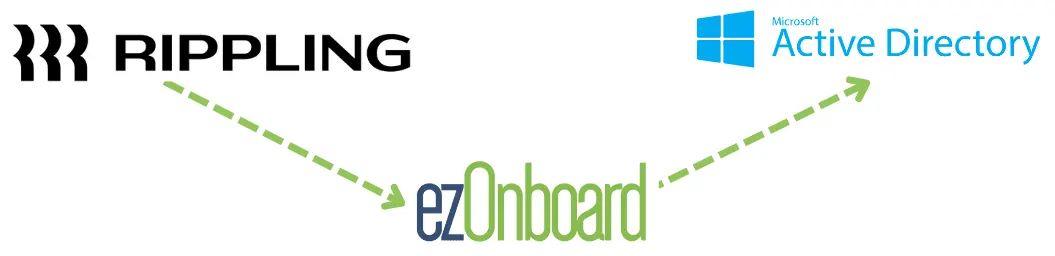
With ezOnboard, you can transform the traditional, often cumbersome, onboarding and offboarding processes into more efficient and error-free operations.
Interested? You can request a demo or check the ROI calculator to see how much money ezOnboard can save you.
FAQs About Rippling to AD
What is Rippling?
Rippling is an all-in-one HR, IT, and finance platform that simplifies payroll, benefits, and employee device management. It also integrates with directory services like Active Directory for seamless user management.
What are the integration requirements for connecting Rippling to AD?
To integrate Rippling with AD, you need admin access to both platforms. If you have on-premises AD, you may also need custom API keys or middleware to establish a smooth connection.
Can I integrate Rippling into other directory services?
Yes, Rippling supports other directory services like Google Directory integration. This gives you flexibility in managing user identities across multiple platforms.