TriNet to AD (Entra ID): 6 Steps for a Smooth Integration
Chad Burggraf4 min read

If your company uses TriNet for HR, either through its PEO or through the TriNet HR Platform (also known as TriNet Zenefits, after TriNet acquired Zenefits in 2022), you can connect it to Microsoft Active Directory (AD) or cloud-based Entra ID (formerly Azure Active Directory).
This connection can automate user provisioning, update employee details, and deactivate accounts without manual intervention. It can simplify both IT and HR processes, save time, and help your business reduce costs related to onboarding and offboarding.
In today’s article, we’ll walk you through the six steps to make this integration as smooth as possible. Whether you’re looking to improve user management or keep employee records in sync, our step-by-step guide can help your IT team get it right.
A Step-by-Step Guide to Connecting TriNet and AD
Below are six simple steps you can follow to seamlessly integrate TriNet with Active Directory (Entra ID).
1. Prepare Active Directory
Before starting, make sure you have administrator-level access to prepare Active Directory for integration.
Only then can you create organizational units (OUs) for new employees based on factors like job title, department, or location. For companies with employees in multiple states, organizing users this way keeps everything efficient.
You should also have strict permissions and security settings in place to prevent unauthorized access.
2. Set Up API Access in TriNet
The next step is to configure API access in TriNet. How you do this depends on which TriNet product your company uses.
- TriNet PEO: A user with the Integration Administrator role signs in to TriNet, opens the Integration Center or Marketplace, and sets up the TriNet API integration. TriNet then shows a Company ID, Client ID, and Client Secret once, so save them securely before leaving the screen.
- TriNet HR Platform (TriNet Zenefits): An admin opens Company Profile > Custom Integrations and adds a token under REST API Access. Grant only the permissions the integration needs.
Be sure to check if your company’s industry has specific data protection regulations. You can use encryption and multi-factor authentication (MFA) to safeguard employee data.
3. Map User Attributes Between TriNet and AD
After establishing API access, you should map important user attributes between TriNet and AD (Entra ID).
You should include key employee information, such as name, email, job title, and department.
Confirm that your API credentials can read every field you plan to map. If a field is missing from the sync, check the permissions you granted when you set up API access in TriNet.
4. Test the Connection
Once you’ve mapped attributes, it’s time to test the connection.
Run a test with a few employee records to see how data flows between TriNet and AD (Entra ID).
If errors occur, it’s likely due to mismatches in user attributes or access permissions. You must review the logs carefully and fix any issues before going live.
5. Finalize and Deploy
When testing is complete, you can establish the connection between TriNet and Active Directory.
Deploy the integration across your organization by scheduling an automated sync. You must also communicate the change to relevant departments and provide training where necessary.
6. Monitor the Integration
Your job doesn’t end after deployment. You should keep a close eye on the integration to ensure everything runs smoothly.
You can set up notifications for any failed sync attempts or data mismatches. This allows you to fix errors immediately and maintain accurate information across both systems.
Let ezOnboard Connect TriNet to AD (Entra ID)
ezOnboard seamlessly integrates an organization’s HR software (such as TriNet) with on-prem Active Directory or cloud-based Entra ID (Azure AD). It automatically updates employee details when changes are made in your HR software. Our Active Directory guides for other HR platforms cover the setup if you ever move off TriNet.
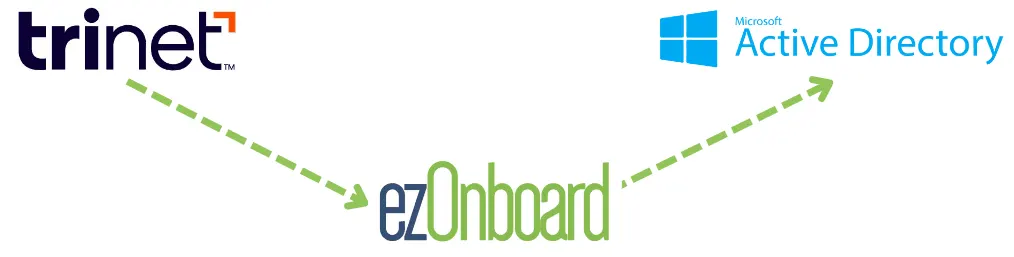
With ezOnboard, you can transform the traditional, often cumbersome, onboarding and offboarding processes into more efficient and error-free operations.
To get started, request a demo or check the ROI calculator to see how much money ezOnboard can save you.
FAQs About TriNet to AD
What is TriNet?
TriNet is an HR provider for small and medium-size businesses. Its PEO is a full-service HR solution for payroll, benefits, and compliance. Its HR Plus service offers outsourced HR, payroll processing, and payroll tax compliance on the TriNet HR Platform, also known as TriNet Zenefits.
TriNet acquired Zenefits in 2022. Zenefits is now part of TriNet rather than a separate company.
What are the benefits of integrating TriNet with AD?
Integrating TriNet with AD (Entra ID) can simplify user management, automate onboarding, improve security, and save your business money.
How do you maintain a strong connection between TriNet and AD?
To keep the integration strong, you should schedule regular audits and set up automated notifications. You should also review your TriNet API credentials and permissions regularly, and replace them if someone who managed them leaves the company.