ADP to AD (Entra ID) Integration: 5 Steps to Get Started
Chad Burggraf6 min read

If your company uses ADP to handle employee data, consider integrating it with on-premise Active Directory (AD) or cloud-based Azure Active Directory (now known as Entra ID).
This integration helps you manage user accounts and keep worker information consistent across both platforms. It can reduce manual oversight, allowing your IT department to focus on more important tasks.
In this article, we’ll walk you through the five simple steps to connect ADP to your Active Directory environment. We’ll also share the other benefits of syncing ADP to AD below.
Understanding ADP to Active Directory Integration
Before you integrate ADP into AD, you should first understand what this connection involves.
ADP is a popular human resource management software that combines payroll, attendance tracking, HR outsourcing, and compliance services in one platform. It also supports integration with other apps, such as Microsoft Active Directory or Entra ID (Azure Active Directory).
Both AD and Entra ID are directory services used for centralized identity management. They authenticate users and assign access to resources within your organization’s network.
By connecting ADP to AD, you can automatically sync information between the two systems. That means when changes are made in your HRM software, they are instantly updated in your directory service.
This integration reduces manual data entry, which can save your business valuable time and minimize human mistakes.

How to Integrate ADP with Active Directory (Entra ID)?
After learning what the integration involves, you might be wondering how to get started. Below are five simple steps to follow to connect ADP to Active Directory:
1. Prepare the Requirements for Integration
Before starting the integration, you should gather all the requirements.
First, identify the software or middleware you’ll need for data integration between ADP and Active Directory. Many solutions offer out-of-the-box connectors, but some custom development may be required if your enterprise systems are more complex.
You also need to define fine-grained security groups within Active Directory. Doing so gives every employee the appropriate level of access based on their role.
Don’t forget to configure ADP for integration with AD. This involves adding the server address and other important credentials.
2. Set Up API Access and Security Protocols
The next step involves setting up API access between ADP and Active Directory. These API connections allow the two systems to communicate so you can seamlessly transfer employee data.
Depending on the platform you use, there may be an initial setup fee associated with gaining API access.
You should also configure security protocols, such as encryption and SSL/TLS, to protect sensitive data. This can help prevent unauthorized access and data breaches.
3. Map ADP Worker Data to Active Directory
After establishing API access and secure connections, you should map user attributes from ADP to Active Directory.
Make sure to link important employee information, such as usernames, departments, and roles. This guarantees that user details and access are consistent across both systems.
4. Test the Integration with Sample Employee Data
Once the initial integration is set up, it’s important to test the system using a small group of employees or sample data.
During this testing phase, you can check if data integration is functioning as expected. You should also verify if employee details are accurately reflected in ADP and Microsoft AD.
Then, address issues that may arise before rolling out the integration across your organization. It’s better to catch potential errors during testing than to deal with them after full deployment.
5. Deploy and Monitor the Integration
After successful testing, you’re now ready to deploy the ADP to AD integration for your entire organization.
You can use middleware or integration tools to make this task easier. Consider a solution with an easy-to-use interface, customizable access rules, and reliable vendor support.
Once the integration is live, you must monitor it regularly to keep it running smoothly. Check for any synchronization issues and make adjustments as needed.

Why Integrate ADP with Active Directory?
Connecting your ADP payroll and HR system with your directory services can improve your business operations. Below are several reasons to consider this integration:
Simplify Employee Lifecycle Management
Integrating ADP with Active Directory can simplify employee lifecycle management.
When a new employee is hired and added to the ADP software, your on-premise Active Directory or cloud-based Entra ID automatically updates their user data.
Other changes to ADP accounts, such as updating a business cell phone number or privileged access to systems, also happen instantly in the AD environment.
This real-time sync helps you maintain control over digital identities without manual intervention. You no longer have to deal with repetitive resource allocation and employee lifecycle updates.
Improve Employee Onboarding and Offboarding Efficiency
ADP to AD integration can also improve your onboarding and offboarding processes.
It can automate employee onboarding by creating AD accounts and giving them instant access to IT resources. This means new hires can be productive at their jobs from day one. Meanwhile, for your employees, this reduces the likelihood of mistakes due to manual data entry.
This integration also allows for no-touch IT offboarding. Once you remove employee details from ADP, their access will be revoked immediately in the Active Directory.
It can streamline your IT service management by minimizing the time and effort required to manage user accounts across multiple platforms.
Reduce IT Workloads
Manual data entry is a common pain point in IT departments, especially when it comes to user provisioning and deprovisioning.
It can steal valuable IT time and resources. It can also increase the chances of human errors, such as incorrect usernames, roles, or access permissions. This can urge your IT staff to fix these mistakes instead of focusing on other critical areas.
Fortunately, integrating ADP with Active Directory can significantly reduce IT workloads. It automatically updates details between the two systems so your IT team can prioritize more important tasks.
Minimize Security Risks
Lastly, connecting ADP to AD can protect sensitive company and employee data.
It can instantly remove permissions when employees leave the organization. This prevents unauthorized access to your network systems.
It also uses role-based access controls to ensure that only the right personnel can see confidential data, such as employees’ bank details.
Automate ADP to Active Directory (Entra ID) Integration with ezOnboard
Are you looking for a secure and customized ADP to AD integration? Want to free your IT team to do more with less?
ezOnboard offers an automated solution that seamlessly integrates an organization’s HR and payroll software (such as ADP) with traditional Active Directory or cloud-based Entra ID. If you run other HR tools beside ADP, see our guides for other HR and payroll systems.
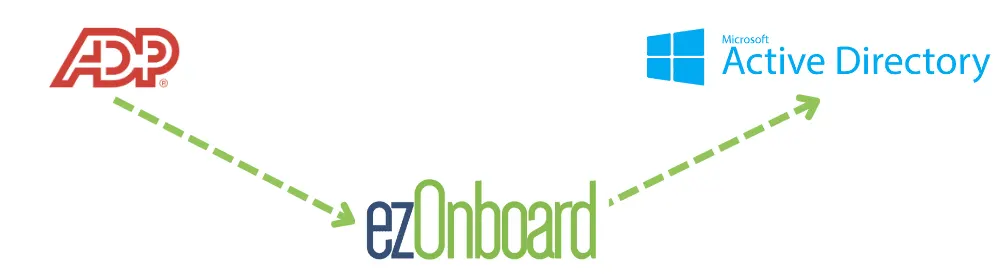
ezOnboard can pre-determine your custom business rules to instantly reflect approved ADP changes in AD. This significantly cuts down the time it takes to onboard new employees and contractors.
You no longer need to enter details manually or worry about unauthorized network access. With ezOnboard, you can transform the traditional, often cumbersome, onboarding and offboarding processes into more efficient, secure, and error-free operations.
To get started, request a demo or check the ROI calculator to see how much money ezOnboard can save you.
FAQs About ADP to AD
What is ADP Workforce?
ADP Workforce is a cloud-based payroll, HR, and benefits management software. It helps businesses automate payroll processing, manage employee benefits, and handle important HR tasks in one platform.
What are the requirements for connecting ADP to Active Directory?
To connect ADP to Microsoft Active Directory, you need API access, proper admin permissions, and a reliable connector tool. You should also prepare important user attributes to guarantee smooth and accurate transfer of worker information.
Can you integrate ADP Workforce with other directory services?
Yes, you can connect ADP Workforce with other directory services, such as Google Workspace Directory or Okta. Doing so simplifies user management across multiple platforms.