How to Automate Employee Onboarding: 8 Easy Steps
Gregg Davis9 min read

Manual onboarding can drain your IT department or HR team and create a mixed experience for new employees. It is an error-prone and time-consuming process, especially as your company scales.
Fortunately, automated employee onboarding can eliminate manual tasks. It automatically handles routine activities, from setting up accounts to managing user provisioning.
In this article, we’ll teach you how to automate employee onboarding. But first, let’s look at what you can expect from implementing onboarding automation.
Understanding Automated Onboarding Processes
Automated onboarding processes use technology to handle repetitive administrative tasks involved when welcoming new employees into your company.
Instead of manual data entry, they rely on digital software to complete account creation, access provisioning, user lifecycle management, and license compliance management.
Automated onboarding software works by following pre-set business rules. When a new hire joins your company, the system can instantly send a welcome email, assign permissions, and configure user accounts without human intervention.
Automated workflows make sure each new employee gets the necessary access, tools, and training from day one.
For IT managers, onboarding automation means less time spent on routine activities and fewer risks of overlooking important steps.
8 Key Steps to Automate Employee Onboarding
After explaining the basics of automated employee onboarding, let’s move on to the steps to put it into action.
1. Define Onboarding Goals and Objectives
Start by identifying what you want to achieve with automated onboarding.
Do you want to simplify Microsoft Entra ID or Active Directory user provisioning? Are you seeking to boost productivity among new hires? Or perhaps, you simply want to reduce the workload for your IT and hiring managers.
Regardless of your objectives, you should involve key stakeholders during this phase. Gather insights from IT, HR, and department heads about what they see as onboarding pain points and must-have features.
Setting these goals is important because they will guide your entire onboarding setup. The clearer your objectives are, the easier it is to measure success in the future.
2. Map Current Onboarding Workflows
Before jumping into automation, map out your current employee onboarding process.
You should document each task, such as setting up user accounts, assigning onboarding tasks, and maintaining onboarding cybersecurity.
Then, you can list who handles each task and how much time it takes. This will give you a clear view of areas that consume resources and are prone to delays.
3. Identify Areas for Automation
With a workflow map in hand, it becomes easier to identify tasks that are repetitive, time-consuming, or prone to errors.
Common onboarding tasks that can benefit from automation include sending welcome emails, creating user accounts, assigning role-based access permissions, and organizing onboarding documents.
You should also consider security. For example, you can set up notifications if there is suspicious activity. This way, you can instantly address risks before they become serious problems.
By knowing which tasks to automate, you can implement an automation onboarding process in the place where it will bring the most value to your organization.
4. Choose the Right Automated Employee Onboarding Software
After identifying areas that benefit from automation, you can select the best IT onboarding software solution for your organization.
Each platform has its unique strengths, so you should evaluate them based on your specific goals and integration needs.
To narrow down your options, consider the following criteria:
- Ease of use: Check if the platform has a user-friendly interface with clear navigation. This minimizes training for IT and HR teams as they can complete tasks efficiently.
- Automation capabilities: It should automatically handle routine tasks like account creation, task assignment, permission setting, and document sharing.
- Security and compliance: Look for encryption protocols, multi-factor authentication, and activity logs to maintain onboarding cybersecurity compliance.
- Reporting and analytics: The tool should provide insights into time-to-productivity, task completion rates, and onboarding duration. These metrics make it easier to identify areas for improvement in your current workflows.
- Scalability: Choose software that can grow with your company, letting you add users or data as needed.
5. Integrate Onboarding Tools With Existing Systems
Once you’ve chosen the right automation tool, the next step is to integrate it with your existing company systems. These might include your HR tech stack, IT service management system, and SaaS management platforms.
Integrations make sure employee data flows seamlessly between systems. They reduce the need for manual input, save time, and prevent human-related errors.
6. Create an Onboarding Checklist
You should create an onboarding checklist to keep everything organized and make sure nothing is missed. It also serves as a guide for your employees, helping them understand their responsibilities.
Include tasks that need to be completed by your IT team, such as creating new user accounts or providing app access.
Separate them from HR-specific onboarding tasks, like scheduling an orientation meeting or introducing new team members to the company culture.
By organizing your checklist into clear steps, you can reduce errors that arise from miscommunication.
7. Test the Onboarding Process
Before a full rollout, you need to test the automated onboarding system thoroughly. Run through the process with a small group of new hires or use trial employee profiles.
You can use this opportunity to identify issues before full deployment. It’s important to fix these problems to avoid operational disruptions.
8. Deploy the Automated Onboarding System
After testing and making necessary tweaks, you’re ready to automate employee onboarding across relevant departments and roles.
Make sure to notify the right team members about the new onboarding system, mentioning any changes to their roles or tasks.
You should also inform new hires about what to expect because they’ll interact with the onboarding system.

Challenges of Manual Employee Onboarding
Without automation, your IT and human resources teams can face multiple challenges when handling onboarding manually. Here are the most common difficulties to expect:
Higher Risk of Human Errors or Missed Steps
Manual onboarding processes increase the chance of mistakes.
For example, IT departments may struggle with provisioning the right software licenses because of documentation errors. These slow down the onboarding process and frustrate new hires.
Delays in IT Setup and System Access
IT teams often deal with multiple provisioning requests for email accounts, software licenses, and security credentials. They should also order and set up hardware equipment before a new hire’s first day.
Without automation, completing these tasks can take days or even weeks. New employees spend their first few days without access to important tools, which can affect employee productivity.
Poor Onboarding Employee Experience
A slow and inefficient onboarding process can lead to a negative impression of your organization.
If the new hire experiences delays in receiving their equipment, they may feel disengaged before they even start. This leads to lower employee satisfaction and higher turnover rates.
Compliance and Security Risks
Manual processes increase the risk of missing important compliance steps, such as background checks, tax forms, or security training.
They can also lead to improper access provisioning, which can expose sensitive company data to security threats.

Benefits of Employee Onboarding Automation
Automation can address the common challenges faced when manually onboarding employees. Here are the benefits of implementing an automated employee onboarding process:
Reduce Administrative Tasks
Automated onboarding eliminates many repetitive tasks, such as manually creating accounts, assigning permissions, and tracking software licenses across the entire employee lifecycle.
By automating these actions, your team can focus on high-value activities instead of administrative tasks.
Standardize Onboarding Workflows Across Departments
Automation sees to it that every new hire receives a consistent onboarding experience.
Standardized pre-boarding workflows make sure all necessary steps, documents, and training modules are delivered in the same way. This reduces confusion and ensures compliance with internal company policies.
Accelerate New Hire Productivity
By automating access setup and role-specific training, new hires can access the tools and information they need from day one.
They no longer need to wait for the IT team to grant them permission rights. New employees can start contributing to projects sooner.
Improve Security
Automated onboarding systems ensure stronger security by enforcing consistent access permissions and limiting human error through zero-touch provisioning.
You can set predetermined rules to control access to sensitive systems. You can make sure employees only receive permissions appropriate to their roles.
Increase Cost Savings
Automating onboarding can save your business significant money by reducing the need for additional labor. It also minimizes the risk of errors that could lead to costly security or compliance issues.
With an automated process, you can also onboard more employees in less time. This helps you scale without increasing staffing costs.
Best Practices for Successful Automated Employee Onboarding
Here are some tips to follow if you want to maximize your new automated system:
Set Clear Expectations
Make sure your IT team, HR department, the new hire’s manager, and anyone involved in employee onboarding fully understand how the system works.
This internal alignment makes sure everyone uses the software effectively and contributes to a smooth employee onboarding process.
Start Small, Iterate Often
Don’t feel overwhelmed by the possibilities. You don’t have to automate everything at once.
Begin with a pilot program for a single role or department to automate employee onboarding.
This allows you to test the system and identify operational bottlenecks before expanding to other areas.
Gather Feedback From New Hires
You can gather input from employees through surveys or focus groups. Their insights can help you know which key areas of your onboarding program need refinement.
You can also get feedback from departing employees through exit interviews. Ask them about a specific aspect that stood out to them during onboarding.
Celebrate Your Successes
As your new automated onboarding system delivers results (time savings, improved new hire retention, etc.), make sure to communicate these wins to your team.
When you publicly acknowledge success stories, you can motivate your employees. At the same time, you can reinforce the value of the investment in automated onboarding.
Why You Should Choose ezOnboard to Automate Employee Onboarding
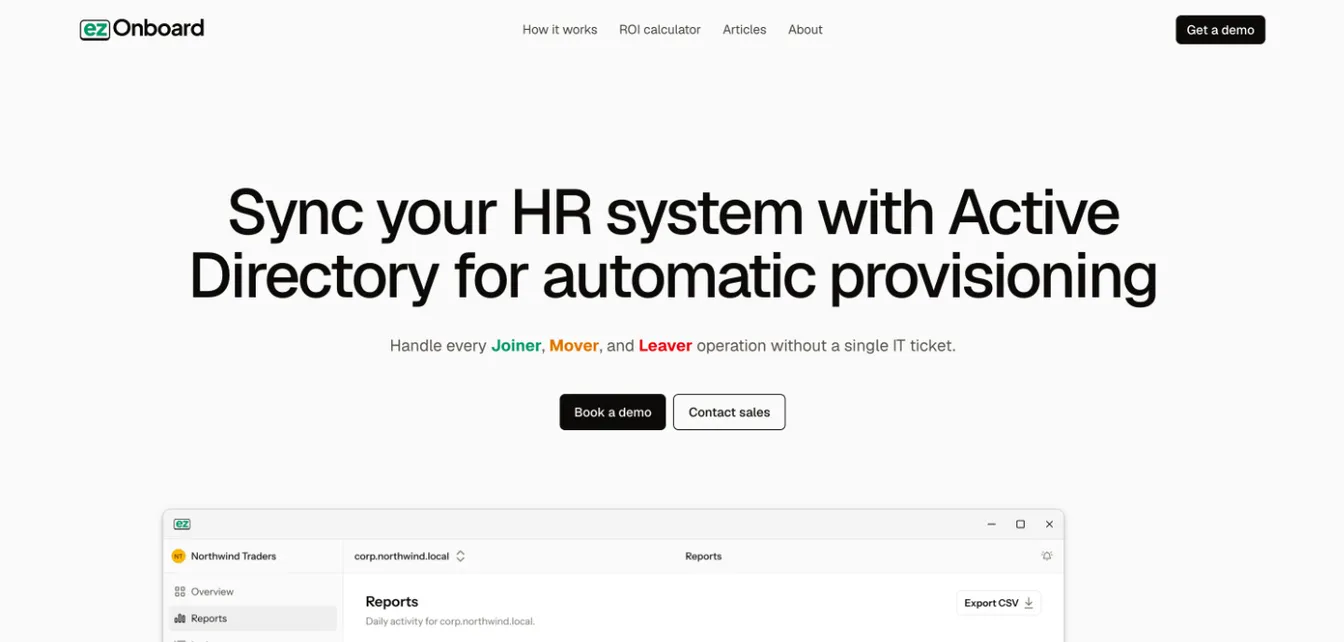
ezOnboard seamlessly connects any HR software with Active Directory and Entra ID to automate onboarding tasks. It can help you with the following:
Instantaneous Account Creation and Access Provisioning
ezOnboard automatically creates accounts in Active Directory and provisions new hires as soon as they’re added to the HR system.
This makes sure new employees have immediate access to the necessary tools and resources for their new jobs.
Custom Business Rules for Access Control
The software allows organizations to predefine custom access rules based on the new hire’s role, department, or other criteria.
This way, employees receive the correct level of access from day one. It can minimize security risks and maintain compliance with internal policies.
Automated Workflow Integrations
By integrating with existing HR systems, ezOnboard automates onboarding workflows. It automatically processes all necessary information and approvals for a new hire. This eliminates delays typically associated with manual data entry and approvals.
License Management and Allocation
ezOnboard’s solution instantly assigns the Microsoft licenses new hires need based on predefined rules. It allows new employees to access important systems, such as email and communication tools.
This can accelerate their time to productivity and improve employee retention. At the same time, it helps control license spending by recovering licenses from employees who leave.
Improved Security and Compliance
Automating the onboarding process makes sure that access is granted according to predefined security policies. It can reduce the risk of unauthorized access.
Additionally, ezOnboard’s reporting and tracking capabilities provide an audit trail for compliance purposes during the offboarding process. They show who has been granted access to what resources and when.
Seamless IT Onboarding Automation With ezOnboard
Ready to transform your employee onboarding processes? Use ezOnboard to automate account creation, user provisioning, compliance tracking, and license management.
With ezOnboard, you can say goodbye to time-consuming, repetitive tasks and give new employees the necessary access from day one.
Request a demo of ezOnboard today or check their ROI calculator to see how much money it can save you.
FAQs About How to Automate Employee Onboarding
Can onboarding be automated?
Yes, you can automate employee onboarding using digital provisioning software like ezOnboard. Doing so reduces manual work, minimizes errors, and speeds up the onboarding process.
How to automate user onboarding?
You’ll encounter several ways to automate onboarding. You can create an automated workflow, integrate your HR and IT systems, give new employees access to a self-service portal, or use AI-powered tools.
To choose the right method, you should determine your automation goals and understand the challenges you’re currently facing.
How to gamify employee onboarding?
You can make onboarding more fun and exciting by turning mundane tasks into achievements. Use points, badges, or leaderboards to reward completed steps. You can introduce challenges or quizzes that teach company policies.
What are the four C’s of employee onboarding?
The four C’s are compliance, clarification, culture, and connection. These represent key areas of a strong onboarding process.