Paylocity to AD (Entra ID) Integration: How to Get Started?
Chad Burggraf5 min read

If your organization uses Paylocity as its HR software, you can connect it to on-premise Active Directory (AD) or cloud-based Entra ID (also known as Azure AD).
This integration can automatically update employee information across systems in real time. It reduces the need for manual data entry, which can free up valuable IT time and resources.
In this article, we’ll teach you how to connect Paylocity to AD. But first, let’s look at why you should establish this connection.
Why Should You Integrate Paylocity to Active Directory?
Integrating Paylocity with on-premise AD or cloud Entra ID can improve your business processes. Below are the main reasons why IT managers should consider this integration:
Simplify Employee Lifecycle Management
Managing employees from their first day to their last using your IT service management tool is no small feat.
When you integrate Paylocity into AD, you can automate identity lifecycle management.
For example, you can execute onboarding workflows automatically. This ensures that new employees are added to the correct AD groups as soon as they join your company.
It can also allocate computer resources to new hires, which can help them do their jobs properly from day one.
It even helps with the no-touch offboarding process. The integration quickly removes access to company resources when an employee leaves.
Plus, it automatically reclaims unused software licenses, which can simplify enterprise license management.
Improve Security and Compliance
Integrating Paylocity with on-premise AD and cloud Entra ID can improve your company’s security posture.
It can automate off-boarding workflows. This reduces the chances of departed employees having privileged access to sensitive enterprise systems.
Integration also allows IT managers to implement single sign-on and fine-grained security groups. The former eliminates the need for multiple login details, which can minimize the risk of cyber threats.
Meanwhile, the latter provides employees the exact access rights they need based on their role or responsibility. It can keep confidential data secure and ensure compliance with security regulations.
Enhance Data Accuracy
When you don’t connect Paylocity to AD, you need to manually transfer employee information from one platform to another. This can increase the likelihood of errors and duplicate entries.
By integrating Paylocity into AD, you can automatically sync important user data, such as job titles, departments, and email addresses.
This reduces the need for manual data entry and improves accuracy across both systems.
Increase IT Efficiency
IT teams often handle several important tasks. Automating user management through Paylocity to AD integration lightens the workload.
IT staff no longer need to create accounts, assign roles, or deal with resource provisioning when new users join the company. Instead, everything happens automatically.
This frees up the IT department for more strategic work.
How to Connect Paylocity to AD (Entra ID)?
Setting up the connection between Paylocity and Active Directory requires careful planning. Follow the steps below for a successful integration:
1. Check System Requirements
Before you begin, make sure you can configure both Paylocity and AD for integration.
Check if your systems meet the minimum requirements. These include access to Paylocity APIs and admin privileges in on-prem Active Directory or cloud Entra ID.
By verifying compatibility from the start, you can avoid issues later.
2. Set Up Paylocity
The next step is to log into your Paylocity account and access the API settings.
Set up the connection details that will allow communication between Paylocity and AD.
You should also request access to a demo environment where you can test the integration later.
3. Configure Active Directory Settings
After preparing Paylocity, it’s time to configure Microsoft AD.
You should set up distribution lists or organizational units. Doing so can automatically categorize employees into appropriate groups based on their job roles or departments.
You may also want to review user permission levels in AD. Check if employees can receive the correct access rights to third-party applications and other assets when Paylocity and AD are linked.
4. Map User Attributes
Once AD is ready for integration, you can map important user attributes. These usually include names, job titles, departments, and email addresses.
Check if all fields are entered correctly to prevent inaccuracies once the integration is deployed.
5. Establish the Connection Between Paylocity and AD
Now that everything is ready, you can now connect Paylocity to Active Directory.
Use the API credentials from Paylocity to authenticate and link both systems.
If you need a fully customizable solution, you can use middleware to sync both systems. Make sure it is properly configured to establish the connection.
6. Check the Integration
After syncing both systems, you can run tests in Paylocity’s sandbox environment.
Verify that employees are being added to the correct groups in AD (Entra ID). You can also check if changes in user details are accurately reflected in both systems.
Testing helps you catch issues early before deploying the integration across your entire organization.
7. Finalize Deployment
Once testing is complete, finalize the integration by setting up additional automation or custom workflows you need.
You can also select the sync frequency, whether daily or weekly, depending on your organization’s requirements.
Don’t forget to review and maintain the integration regularly. Doing so ensures everything is working correctly.
Automate Paylocity to AD (Entra ID) Integration with ezOnboard
ezOnboard seamlessly integrates an organization’s HR software (such as Paylocity) with traditional, on-premises Active Directory and cloud-based Entra ID (also known as Azure AD). It automatically updates employee details when changes are made in Paylocity. For other platforms, browse the full collection of HR-to-AD integration guides.
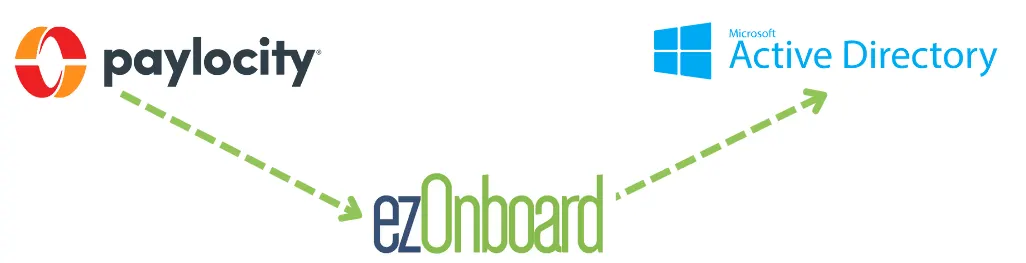
With ezOnboard, you can transform the traditional, often cumbersome, onboarding and offboarding processes into more efficient and error-free operations.
To get started, request a demo or check the ROI calculator to see how much money ezOnboard can save you.
FAQs About Paylocity to AD
What is Paylocity?
Paylocity is a cloud-based platform designed for payroll and workforce management. It allows businesses to automate administrative tasks, which can help HR teams work more efficiently.
What are the common challenges when integrating Paylocity into AD?
IT managers usually find it difficult to map data correctly between Paylocity and AD, ensure security, and manage sync errors. Using middleware solutions, like ezOnboard, can simplify these tasks.
Is it possible to integrate Paylocity with other directory services?
Yes, you can integrate Paylocity with other directory services, such as Google Directory or Okta. You can use APIs or third-party tools to make these integrations smoother.